
How to create your account
Step-by-step signup: email, password, verification and WhatsApp

Create your BeepMi account with the signup form. You'll need:
- A valid email (any provider: Gmail, Outlook, custom)
- A WhatsApp number and CPF are required for Brazilian registration. Outside that context, follow the fields shown by the form.
- A strong password (min 8 characters): you'll confirm it twice
After signup, review the available plans and activation options before connecting your TikTok operation.
Step by step
Go to beepmi.com/signup
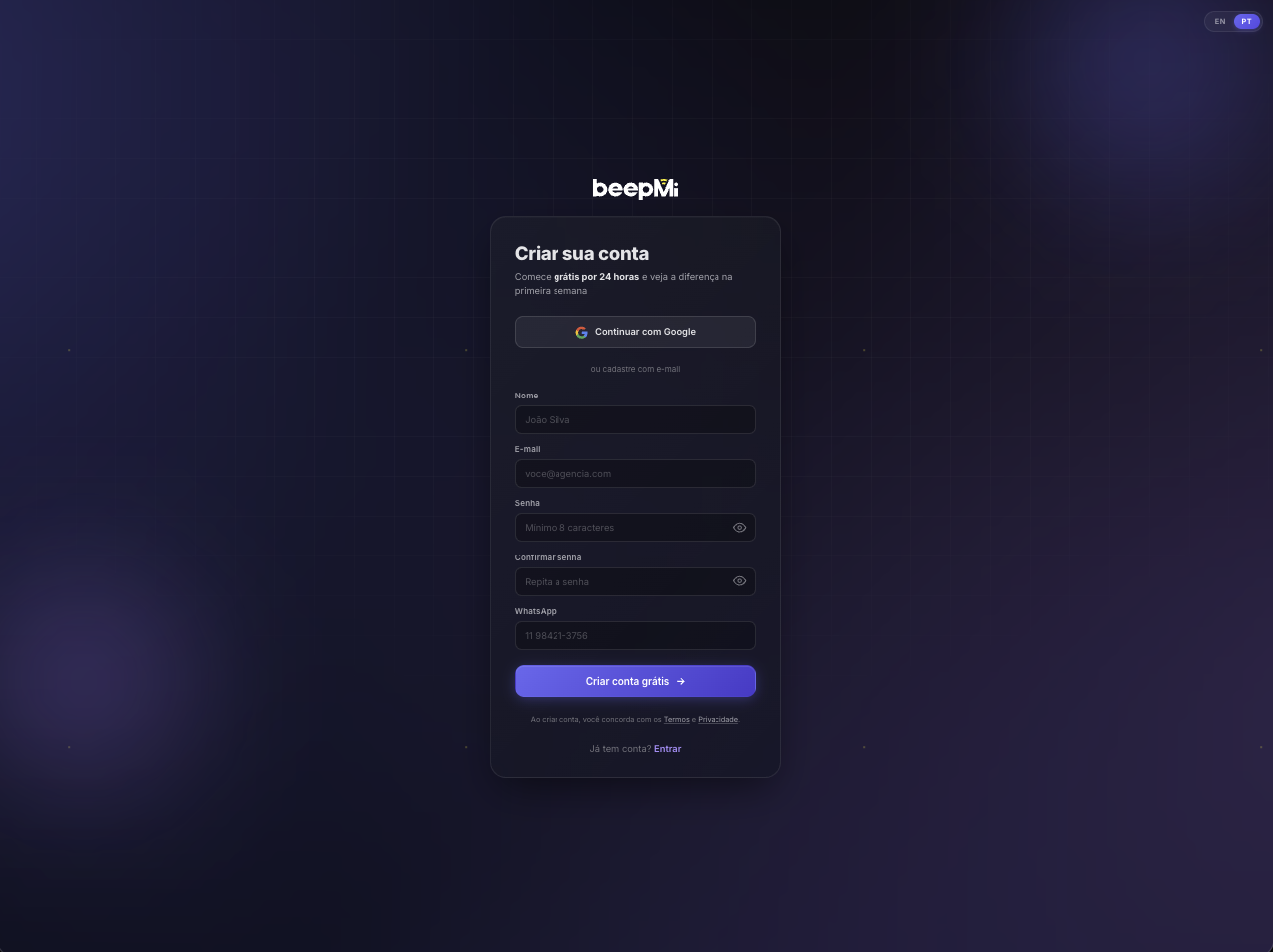
You'll see the signup form with 2 options at the top: Continue with Google (faster: 1 click, skips email verification) or fill in email + password manually below.
Fill in your details
Required fields, in the order they appear:
- Name: appears in your emails (e.g. "Welcome, John")
- E-mail: used for login + password recovery
- Password: min 8 chars. We recommend mixing letters + numbers + symbols
- Confirm password: re-type the password exactly the same (client-side validation)
- WhatsApp: Required for Brazilian registration; optional outside that context. Follow the fields shown in the form.
Click "Create free account"
Big button at the bottom of the form. Terms of Use and Privacy Policy are linked just below ("By creating an account, you agree to…"). Continue to the plan-selection and activation flow.
Verify your email
Within seconds you'll get an email with a verification link. Click the link to activate your account. If it doesn't arrive in 2 min, check your spam folder.
Tips and troubleshooting
It's faster (skips email verification) and more secure (Google OAuth). If your agency runs on Google Workspace, this is the recommended path.
1) Check the spam/promotions folder. 2) If it really hasn't arrived in 5 min, use the "Resend email" button in the yellow banner inside the app. 3) Resend limit: 5x per hour.
We use it to alert you about urgent account issues (e.g. failed payment, BC banned). We never send spam or marketing via WhatsApp.
Activation after signup
Creating an account does not automatically activate a universal 24-hour trial. Complete registration and review the plans and activation options shown to you. Confirm the currency, billing period and payment conditions before activating a subscription. If a specific offer or trial is available, its conditions will be displayed in that flow.
What's next after signup?
After registration, follow the plan-selection and activation flow. Once access is active, create a connected profile and authorize TikTok.
See how to create your first profile before connecting your TikTok BC.
