
Connecting your TikTok Business Center
OAuth, required permissions, connection troubleshooting

To start using BeepMi you need to connect at least 1 TikTok Ads Business Center (BC) to your account. It's via the official TikTok login: your password never touches our servers.
You log in to TikTok normally, authorize BeepMi to manage campaigns, and that's it. Your password never goes through BeepMi: TikTok itself handles the login.
Prerequisites
Before connecting, make sure you:
Have an active TikTok Business Center
Go to business.tiktok.com and confirm you're admin of at least 1 BC. If you don't have one, create it (it's free).
Have ad accounts inside the BC
Each BC can have multiple ad accounts. BeepMi imports all of them automatically when you connect.
Have at least 1 profile created in BeepMi
You need a profile to attach the TikTok connection to. If you don't have one yet, do this first: how to create your first profile.
Connection step by step
Open the Profiles page in BeepMi
After login, click Profiles in the side menu. You'll see the card for the profile you created in the previous step.
Click on the profile card (or "Open Dashboard →")
You enter the profile and land on its Dashboard (still zeroed out: no BC connected yet). The side menu changes: now you see the profile's internal nav: Dashboard, Ads Manager, Rules, TikTok Accounts, Monitoring, Pixels, PE Log, Settings, Subscription, Help.
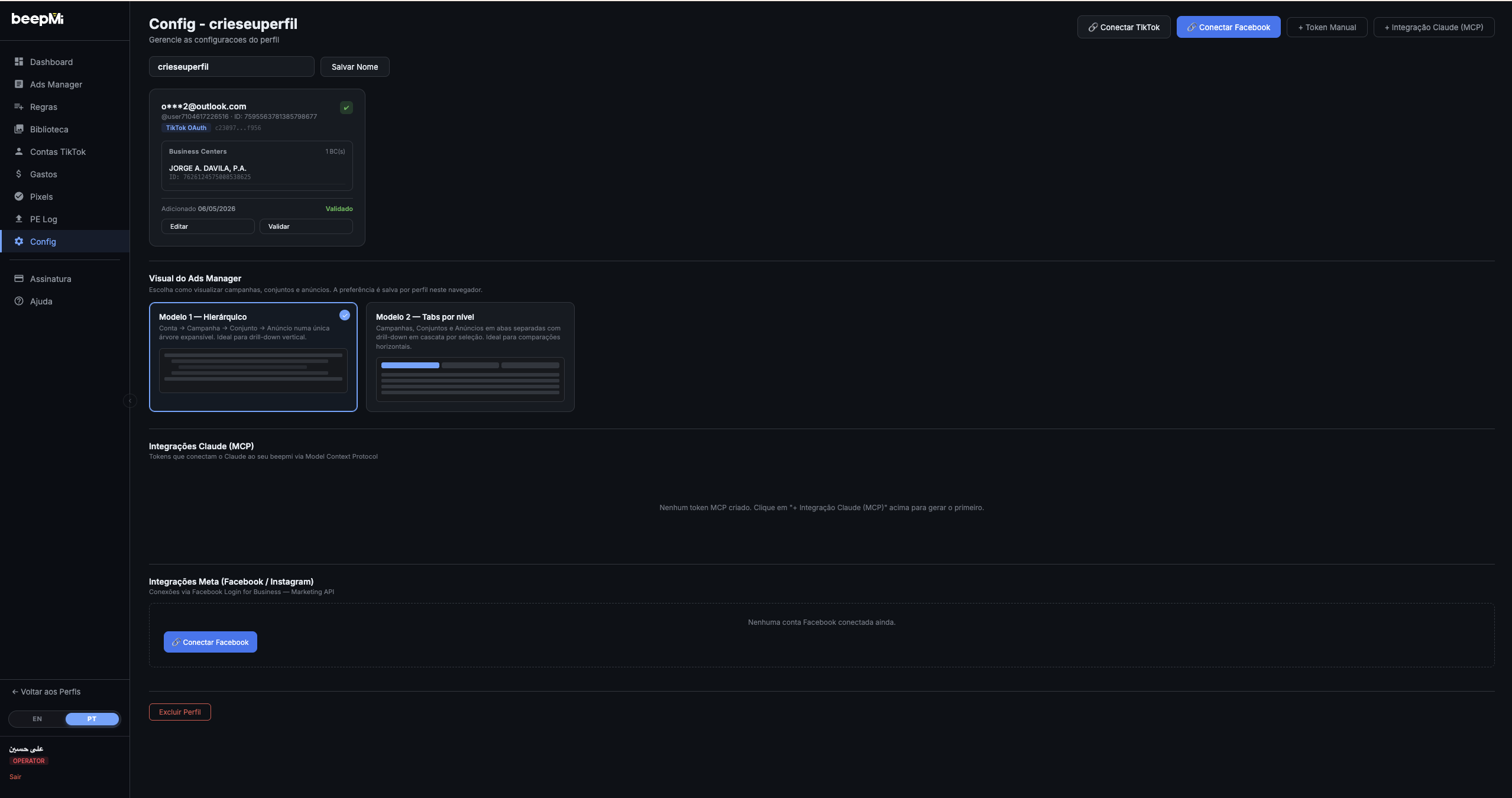
In the side menu, click "Settings"
It's the gear icon near the bottom of the menu. You land on the Settings: Manage this profile's settings screen. This is where you connect TikTok, Facebook, and other integrations.
Click "+ Connect TikTok" in the top-right corner
At the top right of the Settings page you'll see 4 buttons: + Connect TikTok, + Connect Facebook, + Power Manager, + Cloak3 BIPI Integration. Click + Connect TikTok: the connection modal opens.
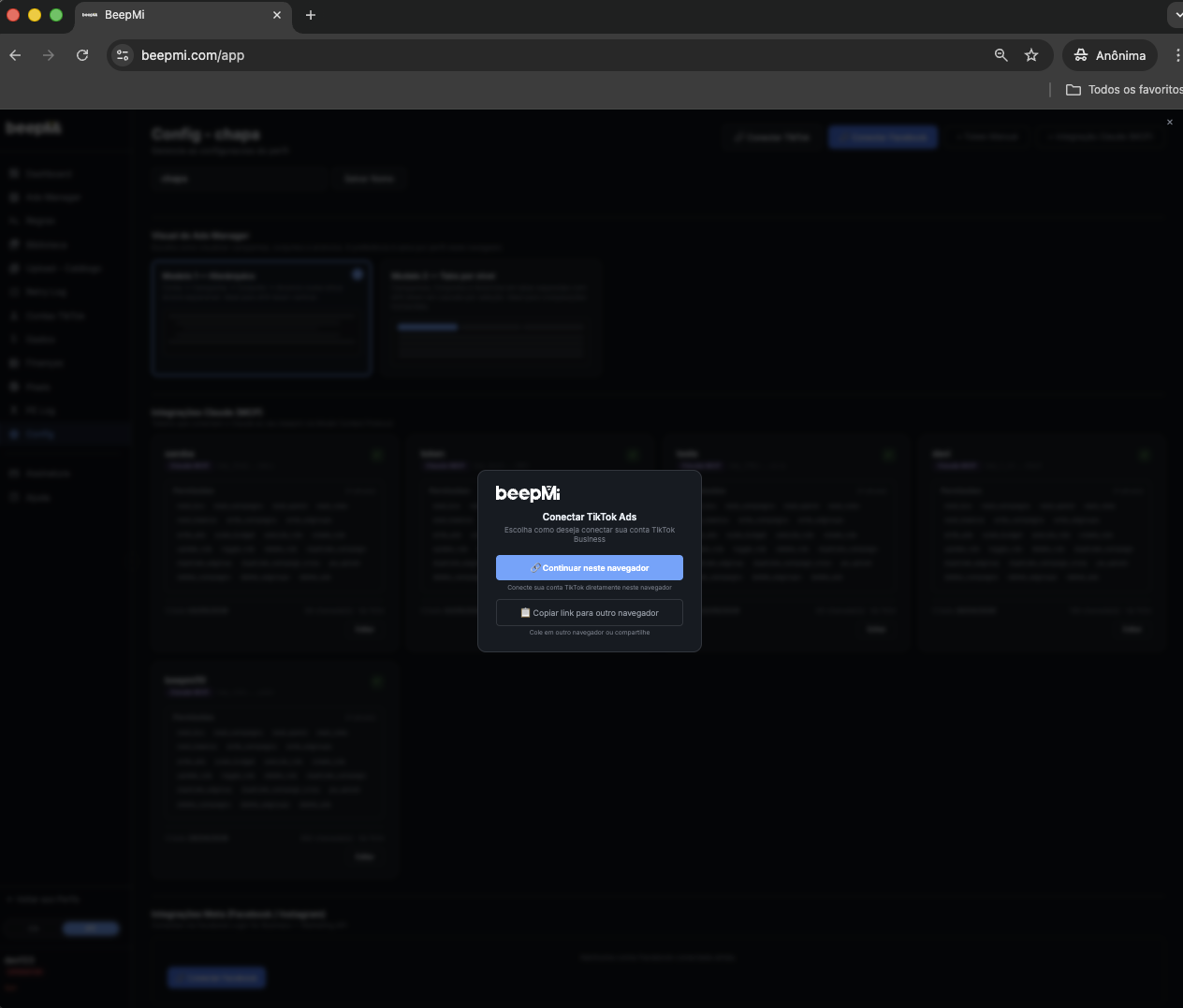
Choose how to connect: this browser OR another browser
The "Connect TikTok Ads" modal shows 2 options:
- Continue in this browser: default flow, redirects right here. Use this if you're already logged into your TikTok For Business account in this browser.
- Copy link to another browser: copies the authorization link. Useful when your TikTok For Business account is logged in another browser (e.g. Chrome) but you use BeepMi on Safari.
Authorize on the TikTok screen
Log in with your TikTok For Business account. The screen will show "BeepMi is requesting permissions to:" with the required permissions checked. Leave them all checked and click Confirm. If you uncheck any, some BeepMi features will break (e.g. automation rules, pixel, audiences).
Back in BeepMi, click "Validate"
After authorizing on TikTok, you're redirected back to the Settings page. The new connection appears in the list of connected Business Centers. Next to it there's a Validate button: click it. BeepMi runs a quick test to confirm the connection works. In ~2 seconds it turns into a green ✓.
Go to Dashboard and click "🔄 Sync"
In the side menu, click Dashboard. It'll start zeroed out. In the top-right corner there's a 🔄 Sync button. Click it. BeepMi pulls from TikTok: ad account list, balances, spend, conversions, metrics. In ~30 seconds the progress bar fills to "1/1 synced" and all the metrics show up.
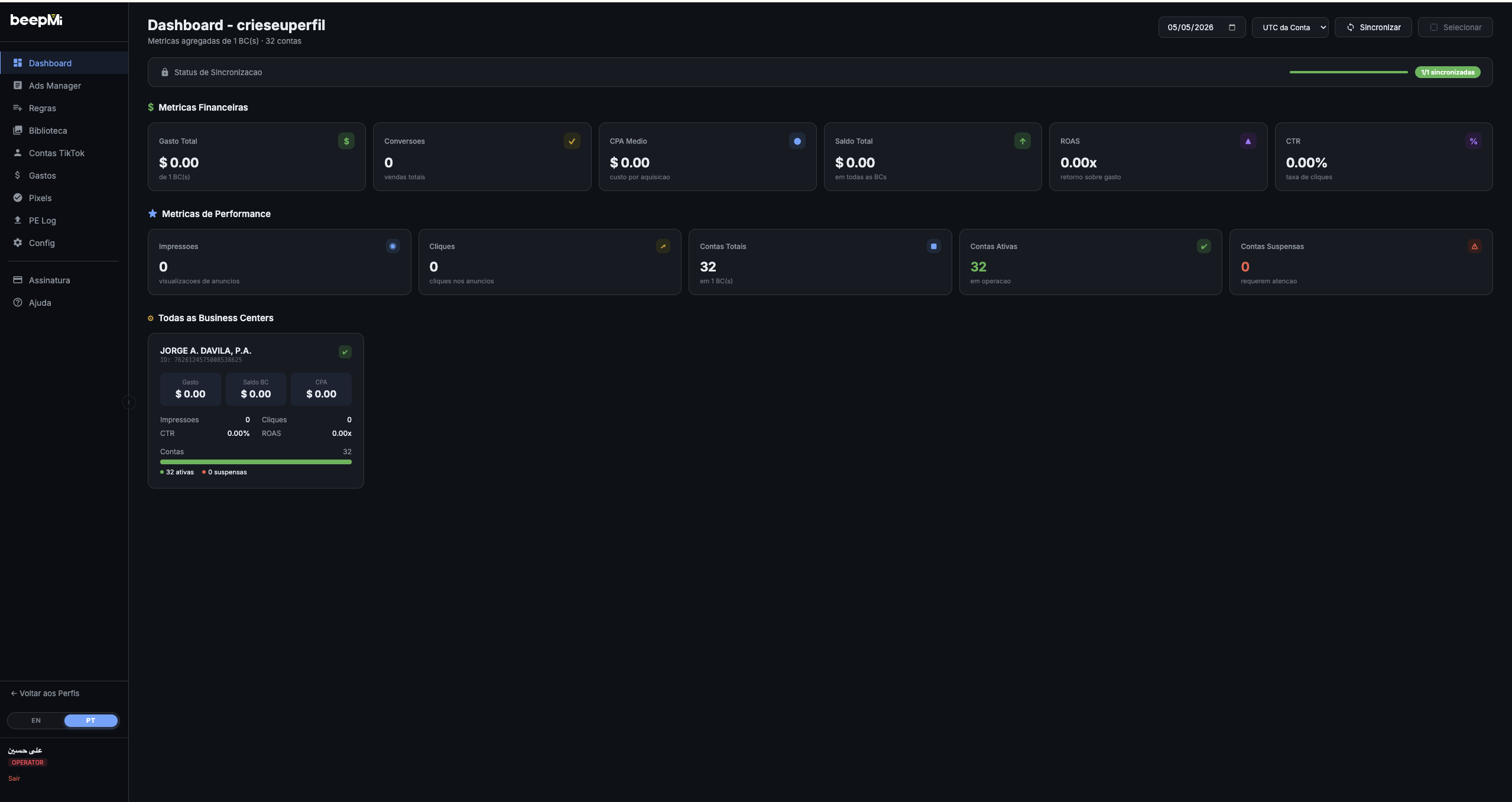
In the "All Business Centers" section of the Dashboard, every BC becomes a clickable card. Click it and BeepMi takes you straight to the Ads Manager filtered by that BC: skipping the manual account-selection step.
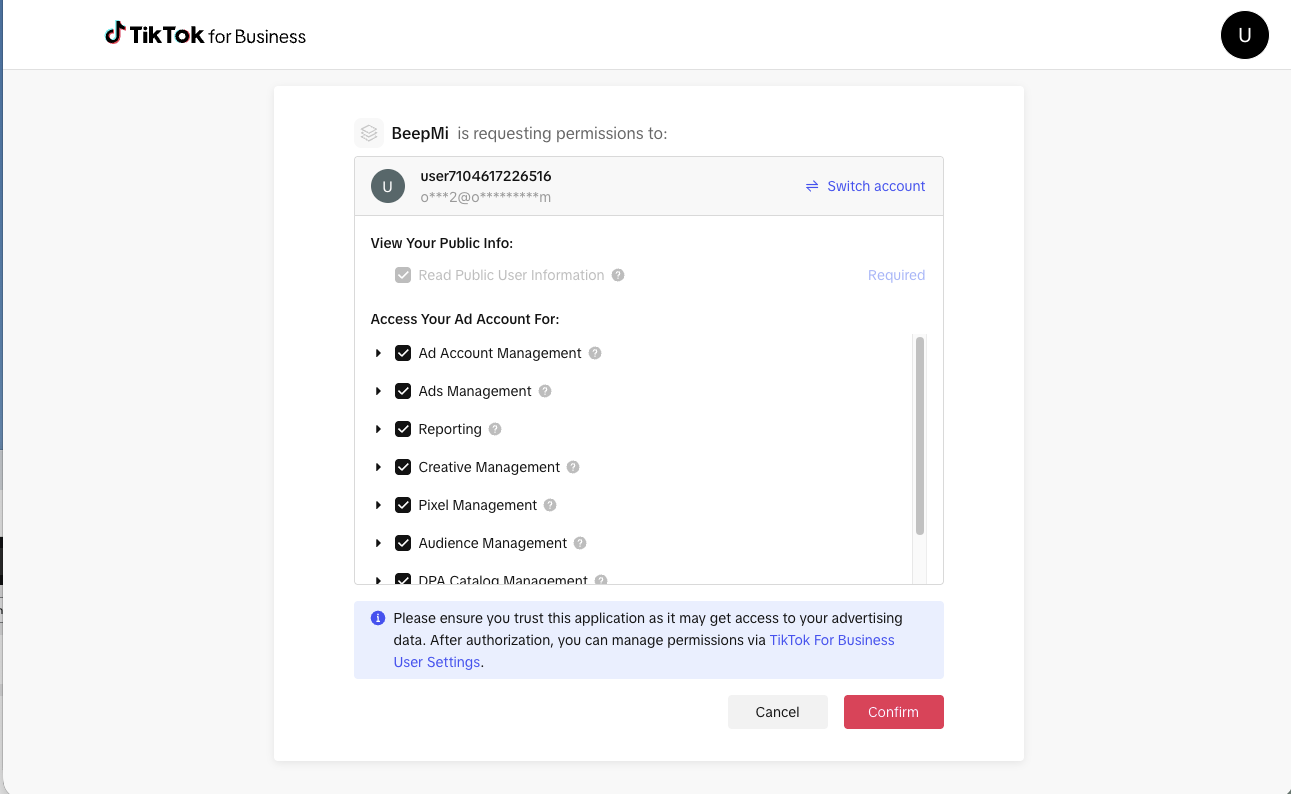
Permissions requested (and why)
7 permissions: all required for the platform to fully work. Listing each with explanation:
| Permission (TikTok) | What BeepMi uses it for |
|---|---|
| Read Public User Information (required) | Identify who you are and validate the connection |
| Ad Account Management | Import the list of ad accounts, balance, currency and linked BC |
| Ads Management | Create, pause/enable campaigns, adgroups and ads + change budgets |
| Reporting | Real metrics (spend, CPA, ROAS, conversions) in Dashboard and PE Logs |
| Creative Management | Upload and manage creatives in Ads Manager |
| Pixel Management | Show TikTok Pixel events and configure tracking |
| Audience Management | Create and manage Custom Audiences/Lookalikes |
If you uncheck Ads Management, automation rules stop. If you uncheck Reporting, you won't see metrics. If you uncheck Audience Management, audiences stop. Easier to leave them all checked.
Go to TikTok Business Center → Settings → Member Permissions and remove BeepMi. Everything becomes read-only on our side and you can reconnect whenever you want.
Common issues
Means you're not a BC admin. Ask the current admin to promote you or to connect their own account. Regular members can't authorize the connection.
Happens when TikTok suspends your BC (policy violation, payment issue, etc). Resolve it directly with TikTok support before trying to connect.
TikTok auto-expires the session after 24h of inactivity. Fix: Disconnect the BC in Profiles and reconnect. BeepMi grabs a fresh session.
Swapping or removing a BC
🔄 Trial: 1 active BC at a time
On the 24h trial you can only have 1 active BC at a time, but you can swap as many times as you want:
- Go to Profiles → your profile → Connections tab
- Click 🗑 Remove next to the current connection
- Click + Connect Business Center again, pick another BC
If you accidentally connect a banned or broken BC, just remove it and try another.
What's next?
With your BC connected, you'll already see your campaigns in the Dashboard. Next steps:
