
Everything about the Creative Library
Standalone tab: sync, upload to every account, anti-dedup re-upload and how to launch ads via Source Upload

The Library tab is where you manage every video and image that will become an ad. It's a dedicated tab: no relation to Pixel, Rules or Ads Manager. The flow is simple: you upload a file here once, it's pushed to every TikTok account in the profile automatically, and from then on it's available to be used when creating an ad via Power Editor → Source: Upload.
TikTok keeps a Creative Library per ad account. If you have 32 accounts and want to upload one creative across all of them, that's normally 32 manual uploads. The BeepMi Library does it in a single action: 1 upload here = 32 TikTok uploads, all at the same time.
Library tab overview
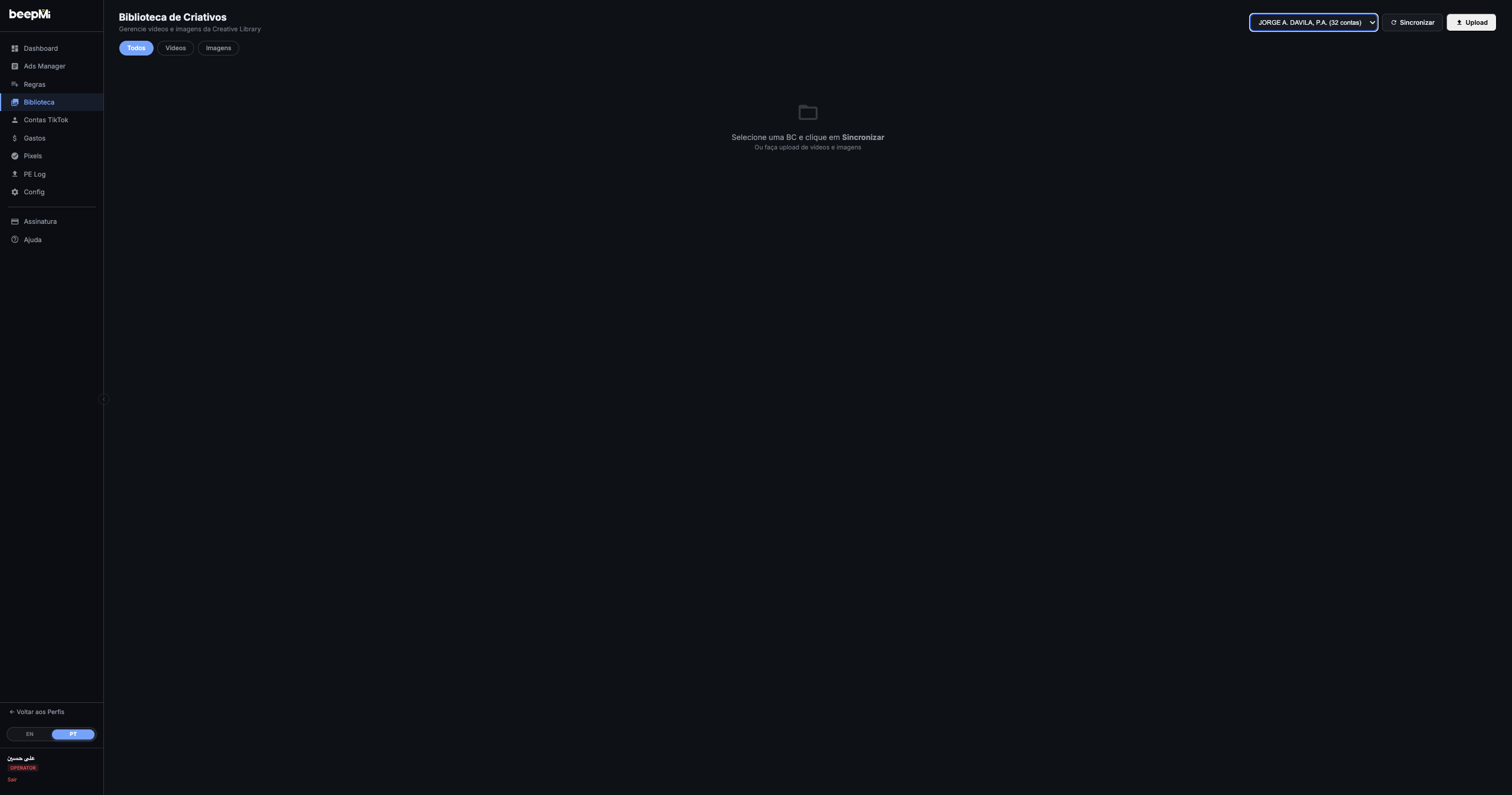
The page has 3 main areas:
| Area | Purpose |
|---|---|
| Header (top) | BC selector, Sync button (pulls from TikTok), Upload button (sends to TikTok) |
| Filter chips | All · Videos · Images: toggles what shows in the grid |
| Center grid | Lists every creative in the selected BC (empty until you sync or upload) |
There are two paths to populate the Library, both available in the header:
Sync: pull creatives that already live in TikTok
If you already have videos/images uploaded via TikTok Ads Manager (manually or by another tool), the Sync button makes BeepMi fetch everything from the TikTok Creative Library and show it here in the grid. Nothing gets duplicated: only what already exists is pulled in.
Upload: push a new file from your computer
The Upload button opens a modal to pick 1+ files from your computer. The file is sent to every account in the BC simultaneously (not just one). Ideal for distributing a new creative across dozens of accounts in seconds.
How to sync existing creatives
- In the header, pick the BC in the dropdown (e.g. "JORGE A. DAVILA, P.A. (32 accounts)").
- Click 🔄 Sync. The icon starts spinning.
- BeepMi asks TikTok for every account in the BC and pulls all creatives into the grid.
1) You just connected a new BC and want to see what's already in there. 2) You uploaded a creative manually via TikTok and want it to appear here too. 3) Someone else on the team uploaded something straight in TikTok and you want to reuse it.
How to upload a new creative (bulk Upload)
Click ⬆ Upload. The modal opens:
What the modal accepts
Supported file types
Video: .mp4, .mov · Image: .jpg, .png, .webp. Drag onto the upload box or click to pick.
Multiple files at once
You can send several files in a single upload. Pick 10, 20, 50: they all go into the queue and are sent at the same time.
"Send to All Accounts" button
This is what fires the send. The label is literal: each file goes to every TikTok account in the selected BC. If the BC has 32 accounts, that's 32 TikTok uploads per file.
The upload only goes to the accounts in the BC currently selected in the header. If you meant to send to a different BC, switch the dropdown before clicking Upload. There's no way to undo a sent upload (you'd have to delete account-by-account inside TikTok manually).
Multi-account distribution in practice
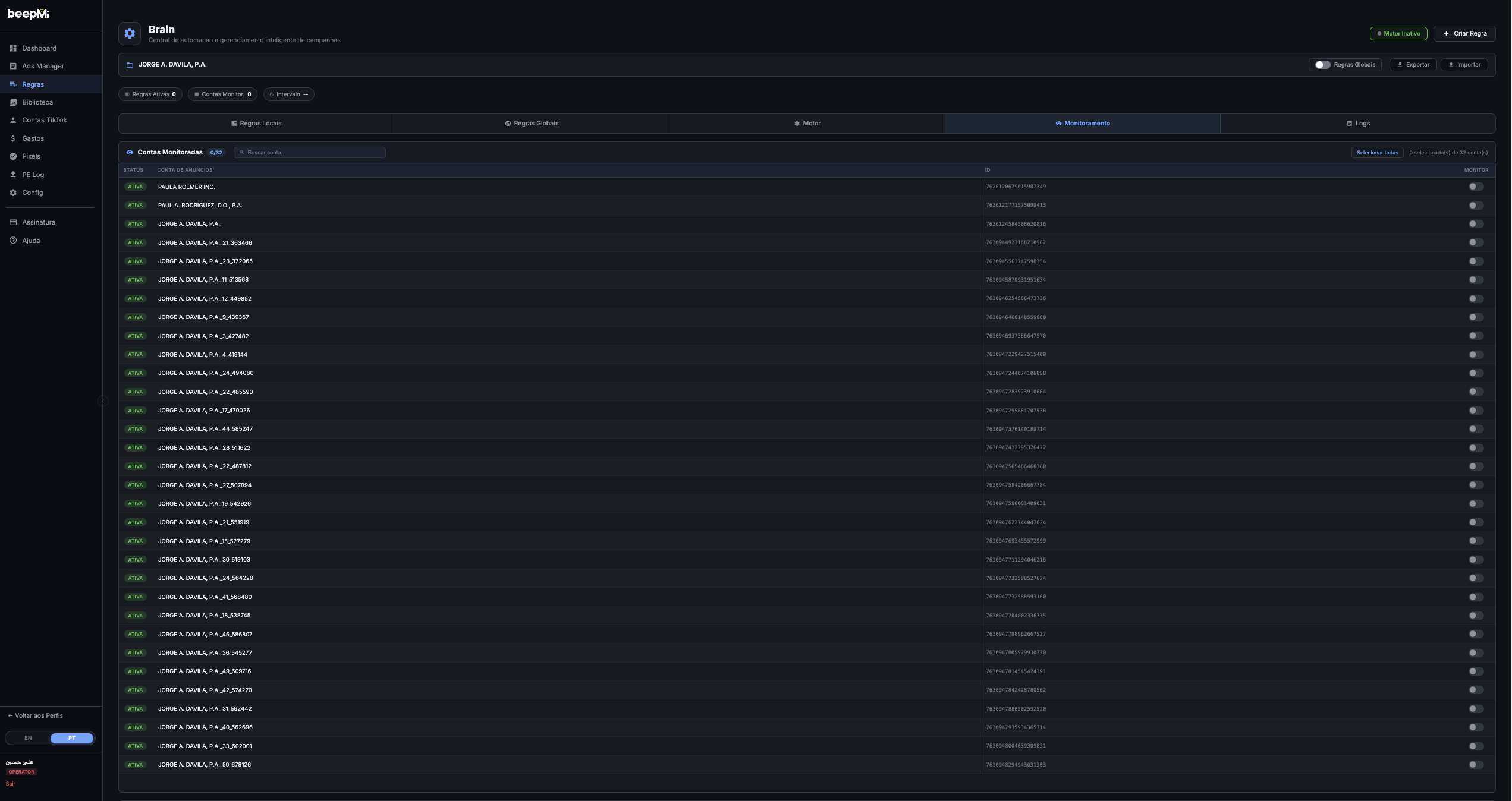
The progress bar under each file shows how many accounts already received it ("15/32 accounts"). If some accounts already had that file, BeepMi detects it and shows "(N already existed)": no duplicates uploaded, no upload quota wasted.
Reading a populated grid
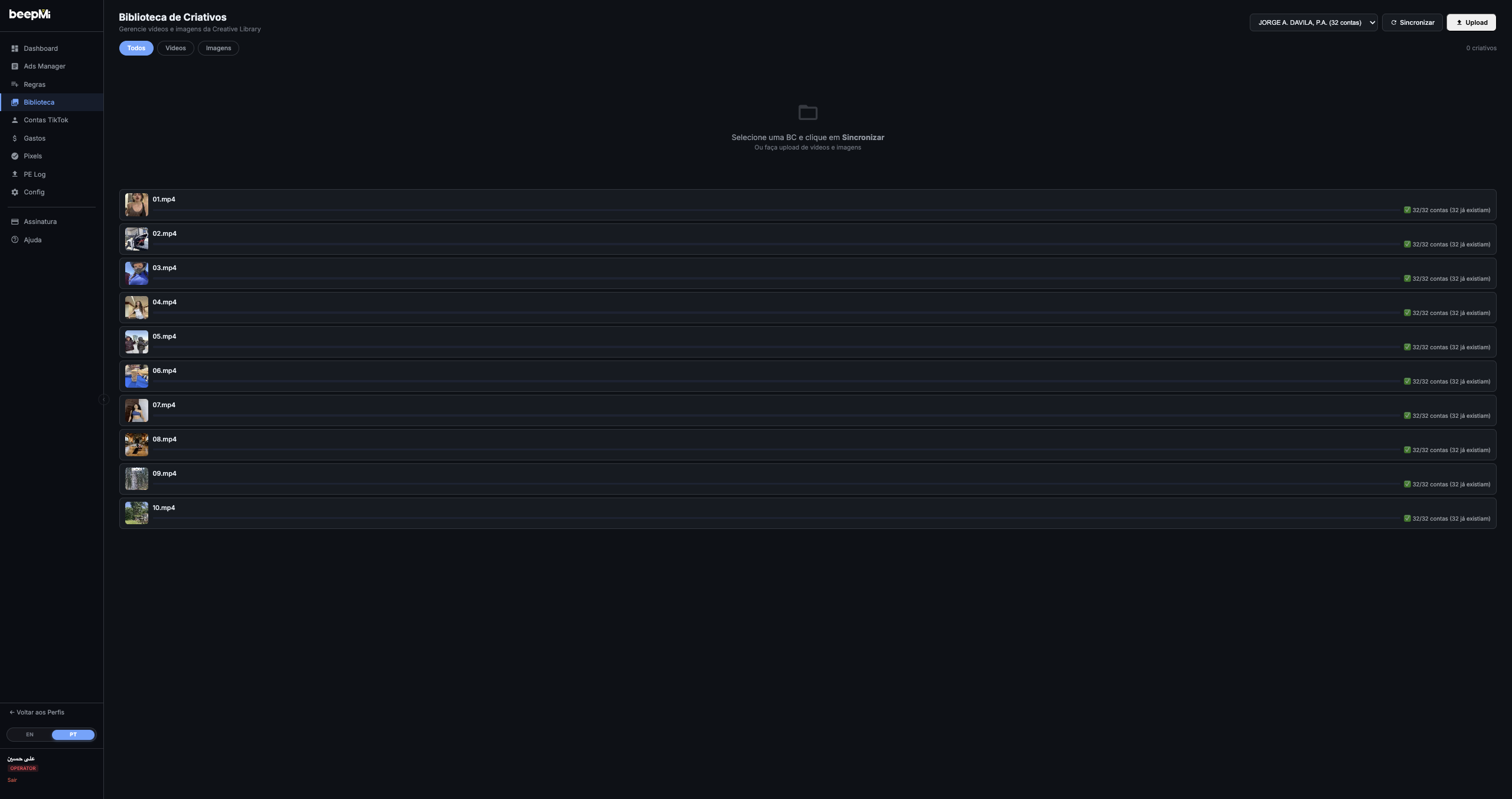
Each grid card shows:
Thumbnail + type icon
🎬 video · 🖼 image. Videos have a play icon on top and the duration in the corner.
Name + dimensions + size + date
e.g. "01.mp4 · 1080×1920 · 4.2MB · 2026-04-30". Useful to identify vertical (Reels/Stories) vs square format.
"X/Y accounts" badge
32/32 accounts (already exists) = the creative is in every account. 15/32 = still missing in 17 accounts (click Re-Upload to complete). This badge is your multi-account coverage thermometer.
Re-Upload button (videos only)
Opens the Re-Upload modal with variations (noise, ghost frame, mirror). Detail in the section below.
Click the card = fullscreen preview
Click any card and BeepMi opens the video in fullscreen, with a dark background and full player controls (play, pause, scrubber). Press ESC or click outside to close. Useful for reviewing before launching the ad.
Grid filters
The 3 chips below the header filter what's shown in the grid:
| Chip | What it shows |
|---|---|
| All (default) | Videos + Images together |
| Videos | Only video files (mp4/mov) |
| Images | Only image files (jpg/png/webp) |
The "X creatives" counter on the right updates with the filter.
Re-Upload: variations to fight TikTok dedup
TikTok runs a duplicate detection system that can throttle campaigns reusing the exact same file. Re-Upload generates subtle variations of the original video that fool the detector while keeping the content intact.
Click 🔄 Re-Upload on a video card. The modal opens:
Noise type (pick 1)
Gaussian: Smooth pixel variation (most natural, recommended). Uniform: Uniform variation (more intense). Salt and Pepper: Random black/white dots (most aggressive, last resort).
Ghost Frame (optional)
Inserts an invisible frame from the video itself in the middle of the timeline. Extra anti-dedup without changing the visual content.
Mirror (optional)
Flips the video horizontally. Careful: any text, logos or numbers will appear mirrored: only use when the video has no on-screen text.
Quantity (1 to 5)
How many variations to generate from the same video. Each one is processed and pushed to the 32 accounts as a fresh file. Cap of 5 per re-upload to avoid blowing storage.
If a video has good ROAS but delivery is dropping (TikTok detected saturation), do a Re-Upload with Gaussian + Ghost Frame + Quantity 3. You get 3 "fresh" versions of the same video distributed across 32 accounts, and delivery picks back up.
How to launch an ad straight from the Library
The Library on its own doesn't create ads: it stores creatives. To turn them into ads, open the Power Editor and pick Source: Upload (BeepMi has two main sources: Upload and Spark).
1. Upload the creative to the Library first
Make sure it's distributed to the BC's accounts (badge "32/32 accounts").
2. Go to Power Editor → Type: Normal → Source: Upload
Power Editor automatically lists the creatives from that BC's Library. No need to upload again.
3. Pick the creatives you want and configure the campaign
Pick 1 video or 50. Each one becomes an ad. Power Editor multiplies that by the selected accounts (50 videos × 32 accounts = 1600 ads going up at once).
Upload: uses creatives from the Library (this article). Spark: uses an organic creator post (needs TTQR/spark code).
Practical recipes
Library → Upload → pick the video → Send to All Accounts. In 1-2 min it's in all 32 accounts and ready to become an ad.
Just connected a new BC? Click Sync before uploading anything. You may discover old videos still performing and use them straight away without uploading again.
Video losing delivery? Re-Upload with Gaussian + Ghost Frame + Qty 3. Distributes 3 variations across 32 accounts = 96 "fresh" copies of the same video.
Pick 50 videos in Finder, drag them all onto the Upload modal upload box. BeepMi queues all 50 and distributes each one to 32 accounts at the same time. Ridiculously fast.
Troubleshooting
Check: 1) Does the selected BC have connected accounts? · 2) Is the TikTok login still valid (Settings tab)? · 3) Do the accounts have any creatives in TikTok Ads Manager? Sync only pulls what already exists on TikTok.
Some accounts may have an expired TikTok login, may be suspended by TikTok, or may be hitting TikTok's upload limit. Wait 5 min and click Re-Upload with Quantity 1 (no variation): BeepMi skips accounts that already have it and completes only the missing ones.
BeepMi can't undo it. You have to delete manually in TikTok Ads Manager (Creative Library → select file → delete) account by account. That's why you should always check the selected BC before clicking Upload.
Usually a video format TikTok doesn't support (old MOV or very new MP4). Convert it to a standard .mp4 using Handbrake (free) and upload again.
Next steps
How to launch 50+ ads via Power Editor · Set up automation rules · Ads Manager M1 vs M2
